





Your AI co-pilot, now for your uptime
Give your AI assistant direct access to your uptime data. Create incidents, check monitor health and manage status pages — all from your editor, in plain language.
Connect your AI assistant
Your uptime, on autopilot
Give Claude, Cursor, VS Code — any MCP client — direct access to your monitoring. Ask, create, and resolve in plain language.
Ask in plain language
Check Monitor health, uptime, and analytics with a simple question.
Act without tab-switching
Create and update Incidents or Monitors directly from your editor.
Workspace-scoped control
Keys are scoped to your workspaces and can be revoked in one click.
Built on an open standard
MCP (Model Context Protocol) is the open standard that lets AI tools talk to your infrastructure. isthisthing.online ships a ready-to-use MCP server.
Create an API key
Generate a scoped key from your dashboard in seconds — read-only or read/write.
Setup guidePoint your client at our server
Add https://api.isthisthing.online/mcp to Claude, Cursor, or VS Code with your key.
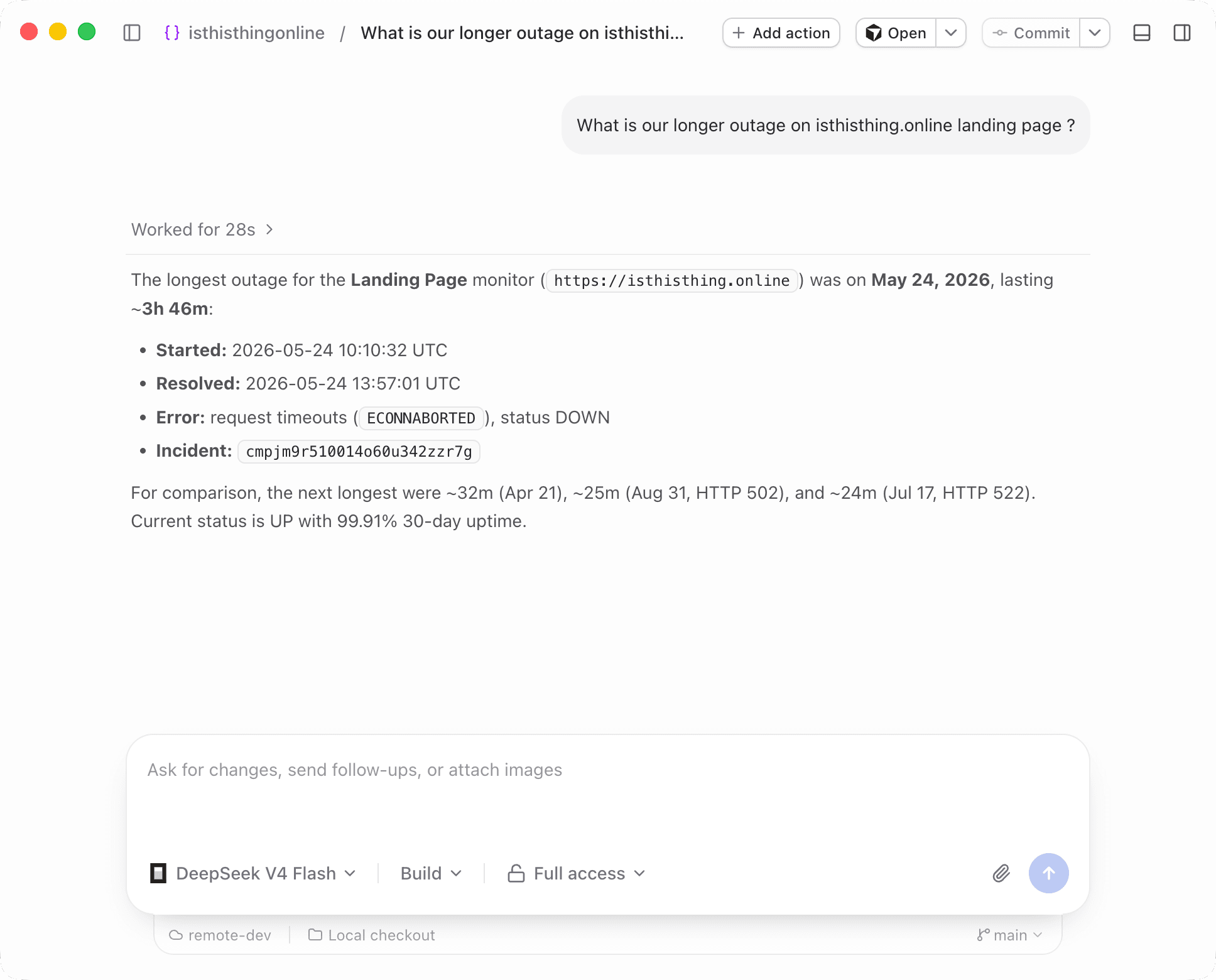
Start asking
"How are my Monitors doing?" — your assistant checks, reports, and can act.
Before you connect
Put your uptime monitoring on autopilot
Connect your AI assistant in about a minute. Create your first API key and start asking.